- +919892093919
- Borivali East, Mumbai
- team@viagemtechmates.com

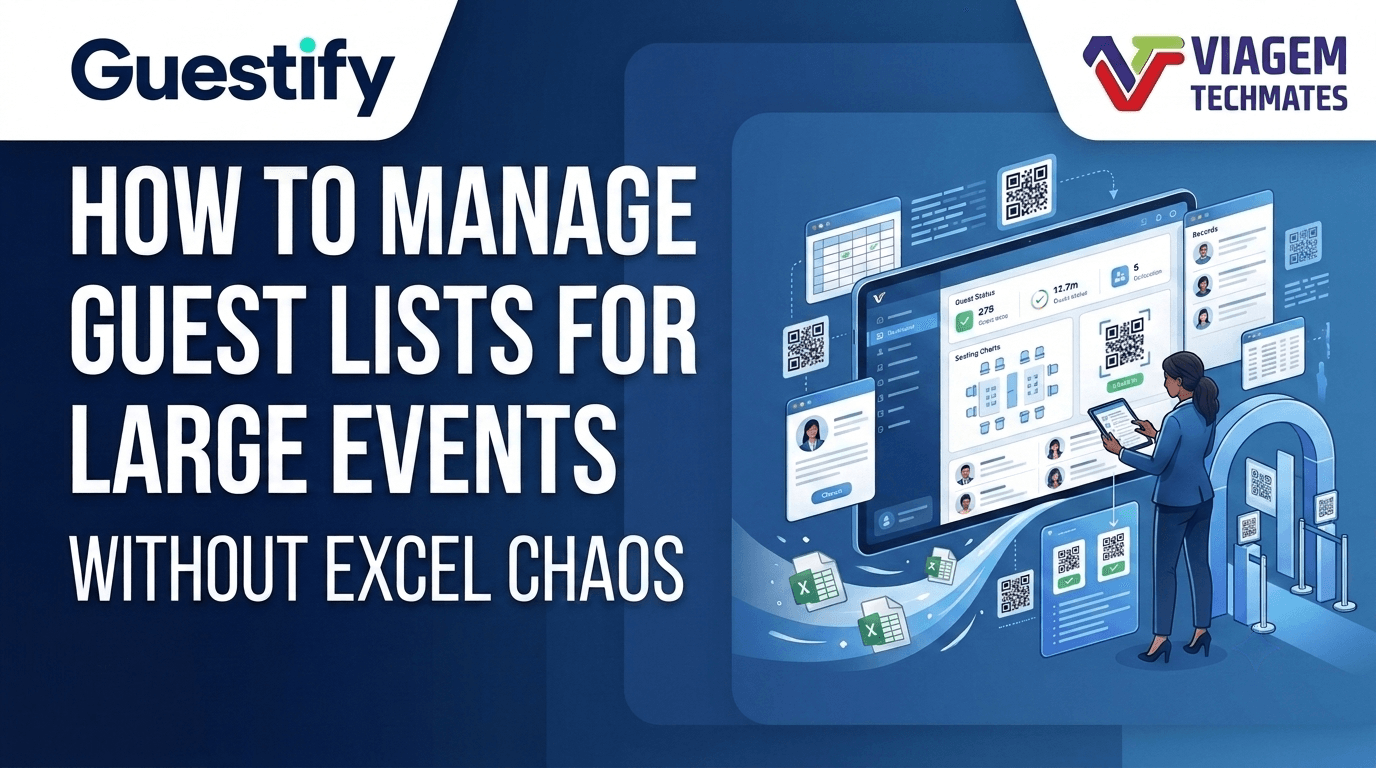
Managing guest lists is one of the most important—and often most time-consuming—tasks for an event management company. Whether you are organizing a wedding, corporate conference, award ceremony, college function, or private celebration, keeping guest information accurate can quickly become complicated as registrations increase and plans change.
A spreadsheet may work well for a small gathering. But when multiple team members are updating guest details, invitations are being sent through WhatsApp, and clients keep adding or removing guests, things can become difficult to control.
Duplicate entries, outdated contact details, confusion over family registrations, and uncertainty about who has confirmed attendance can create unnecessary pressure before the event even begins.
The good news is that managing guest lists does not have to be complicated. With a structured process and the right tools, event planners can organize registrations, keep information updated, and prepare their teams for a smoother event experience. In this guide, we will explore practical ways to manage guest lists for large events, common mistakes to avoid, and when it makes sense to move beyond spreadsheets.
At first, managing a guest list may seem straightforward. You create a spreadsheet, enter names and phone numbers, and share the list with your team.
The challenge begins when the event grows or multiple people become involved in managing the information.
Consider a wedding with 800 invited guests. The client shares an initial list, the event planner adds contact details, invitations are sent through WhatsApp, and family members provide additional names over the next few days.
Meanwhile, the venue team needs an attendance list, the reception staff needs to know how to verify guests, and the catering team needs an estimate of expected attendance.
Now imagine that several people have different versions of the spreadsheet.
Even a small mistake can create confusion.
The same guest may be entered twice, perhaps once by the client and once by a family member. This can lead to duplicate invitations or inaccurate registration totals.
Guests may cancel, confirm late, bring additional family members, or change their contact details. Keeping every version of a shared list updated becomes difficult.
A family may receive one invitation but include several individual attendees. Recording only the family name makes it harder to prepare individual check-in records or track attendance accurately.
Guest details may arrive through WhatsApp messages, phone calls, emails, and spreadsheets. Important information can get buried in conversations.
The person managing registrations may know the latest numbers, but the reception team or event manager may be working with outdated information.
These challenges are not limited to weddings. Corporate events, conferences, award ceremonies, educational institutions, and community gatherings can face similar problems.
Before choosing a new tool, it helps to identify the processes that create the most confusion.
When different people download and edit their own copies of a spreadsheet, the team can lose track of which version is correct.
What to do instead: Establish one master guest list and define who is allowed to update it. If several team members need access, use a shared system with clear update responsibilities.
A guest list containing only names and mobile numbers may be insufficient for a large event.
Depending on the event, you may also need:
What to do instead: Decide what information is genuinely needed before registrations begin. Avoid collecting unnecessary personal information.
A family invitation may represent four or five people. If the team records only one family entry without recording the expected attendee count, attendance planning can become inaccurate.
What to do instead: Track both the family or invitation group and the individual attendees, where individual-level records are needed. For simpler events, a group registration with a clearly recorded quantity may be sufficient.
Sending an invitation does not necessarily mean that a guest has received it, confirmed attendance, or arrived at the event.
What to do instead: Define the statuses your team needs to track, such as registered, invitation sent, confirmed, cancelled, and checked in. Use only the statuses that apply to your event.
A list prepared too early may not include recent additions. A list prepared at the last minute may contain errors that nobody has time to fix.
What to do instead: Set a registration cut-off where possible, review the list before the event, and establish a process for handling late additions on the day.
A consistent process can make guest management much easier, even if your company is not ready to adopt dedicated software.
Start by collecting guest details in one designated location.
For each registration, record the relevant information, such as the guest name, mobile number, registration reference, and number of attendees. For events requiring individual check-in, maintain a record for each person.
Avoid asking multiple team members to maintain separate master files.
Choose a registration method based on the event.
For example:
The third option can be useful when the event team needs to verify attendees individually.
Document the method before registration opens so that the client, registration team, and reception staff follow the same process.
Inconsistent data makes guest lists harder to search and maintain.
For example, the same person might appear as “Rahul Shah,” “R. Shah,” and “Rahul S.” If the team cannot confidently identify these as the same person, duplicates may remain unnoticed.
Use consistent rules for names, phone numbers, registration references, and guest categories. Where appropriate, use a unique registration ID to distinguish records.
Before merging two entries, verify that they belong to the same person.
For a large event, different people may handle invitations, registration, guest enquiries, and reception check-in.
Define who is responsible for each task.
| Task | Suggested responsibility |
| Adding or editing guest records | Registration coordinator |
| Sending invitations | Invitation or communication team |
| Reviewing registration numbers | Event manager |
| Managing late additions | Designated registration lead |
| Verifying guests at entry | Reception team |
| Reviewing attendance after the event | Event manager or reporting lead |
One person may perform several of these tasks at a smaller event. The important thing is that responsibilities are clear.
An invitation status and an attendance status describe different things.
For example, a guest may have received an invitation but not confirmed attendance. Another guest may have confirmed but not arrived.
Keep these stages separate in your process. This makes it easier to estimate attendance and understand what happened on event day.
Guest-list management should not stop once invitations are sent.
Before the event, confirm:
For events using QR-code check-in, test the scanning process and confirm how the system responds when a code is scanned more than once.
Before the event, review total registrations, group sizes, confirmations, cancellations, and any relevant guest categories.
These figures can help the organizer coordinate staffing, seating, entry arrangements, and catering estimates. Remember that registrations and confirmations are estimates of attendance, not a guarantee that every guest will arrive.
Excel is a useful tool. For smaller events, a well-maintained spreadsheet may be all you need.
The question is not whether Excel is good or bad. It is whether your current process can handle the event’s size and complexity.
| Requirement | Spreadsheet-based process | Dedicated guest-management software |
| Basic guest list | Usually sufficient | Supported |
| Sorting and filtering records | Supported | Typically supported |
| Coordinating updates across a team | Depends on sharing and process | Can be centralized, depending on the system |
| Managing individual and group registrations | Requires careful setup | May be built into the workflow |
| Sending unique QR invitations | Requires an additional tool or custom setup | Available in systems with this feature |
| Scanning guests at reception | Requires a separate process or tool | Available in systems with check-in features |
| Detecting repeat check-in attempts | Requires manual checks or integration | Available in systems designed for this |
| Tracking food-counter utilization | Requires separate tracking or integration | Available in systems with food-utilization features |
| Live attendance reporting | Requires manual updates or additional tools | May be available through a live dashboard |
The exact capabilities depend on the software selected and how it is configured.
Continue with a spreadsheet if your event is small, only one or two people manage registrations, and there is little need for automated invitations or digital check-in.
Consider a dedicated solution when:
You do not need to switch tools simply because your guest list has reached a particular number. The right time depends on the complexity of your workflow, the number of people involved, and the level of control your clients expect.
A dedicated guest-management platform can bring several steps of the event workflow together.
Instead of managing registrations in one file, invitations in WhatsApp conversations, and attendance in a separate document, a suitable system can connect these activities through a shared process.
When comparing solutions, look beyond the ability to generate QR codes. Consider the entire guest journey.
Can your team add individual guests, import or register guests in bulk, and handle family or group registrations?
Can the system generate a unique QR code for each registered guest and support the invitation process you use?
If invitations are sent through WhatsApp, check how messages are delivered, whether approved templates or other provider requirements apply, and what charges may be involved.
Can staff scan a guest’s QR code and see whether the registration is valid? Does the system flag repeat check-in attempts? Can the team handle guests who arrive without a usable QR code?
If your events involve multiple food counters or categories, determine whether the system can record usage at each counter and provide useful totals.
This feature is especially relevant when food utilization needs to be monitored during an event. The system should be configured around the actual rules and entitlements for that event.
Look for reports that help answer practical questions:
Compare pricing based on the number of registrations, events, messages, users, or other applicable limits. Confirm whether training, technical support, data export, and event-specific branding are included.
Guest information should also be handled responsibly, with appropriate access controls, retention practices, and protection against unauthorized access.
Guestify is designed to help event management companies organize guest registration and improve visibility across key event operations.
Rather than treating the guest list, invitations, and entry process as unrelated tasks, Guestify brings several of these activities into a connected workflow.
Depending on your event requirements, Guestify supports capabilities including:
Manage guest registrations for an event, including individual and bulk registration workflows. Family and group registrations can be handled either by recording a group quantity or by maintaining individual member details.
Generate unique QR codes for registered guests and use WhatsApp invitations to share the relevant information with attendees.
Use the QR-scanning workflow to verify guest entry. Repeat scans can be handled according to the system’s duplicate-scan behavior, helping staff identify registrations that have already been checked in.
Where the event uses configured food categories and scanning points, record utilization at food counters and review the resulting information.
View event information and review attendance and food-utilization reports, helping event managers keep track of recorded activity.
Guestify is designed with event management businesses in mind, where teams may need to handle guest registration and event operations across different events. Event-specific branding and white-label requirements can be discussed based on the intended setup.
These capabilities can help reduce dependence on disconnected spreadsheets and manual counting. The result will still depend on accurate registration data, correct configuration, staff training, and consistent use of the system.
If your company is exploring a more structured way to manage guest registration, QR invitations, check-in, and food utilization, you can explore Guestify here:
Use this checklist when preparing for your next event.
A checklist will not replace a good registration system, but it can help your team follow a consistent process.
Start with one centralized guest list, standardized data-entry rules, clear responsibilities, and a defined process for invitations and check-in. For complex events, guest-management software can help connect registrations, QR invitations, attendance, and reporting.
Yes. Excel can work well for small or straightforward events. As guest numbers, last-minute changes, team coordination, and check-in requirements grow, maintaining accurate information may become more difficult. At that point, consider whether dedicated software would make the process easier.
Use consistent data-entry rules, verify contact details, and assign a unique registration reference where possible. Review potential duplicates before sending invitations. Avoid merging records based on names alone, because two different guests may share the same name.
You can record a family as one group with a specified number of attendees, or link individual member records to a shared family invitation. Choose the method based on whether the event requires individual identity verification, separate QR codes, or individual attendance records.
A QR code can identify a guest registration when scanned by a compatible check-in system. Depending on the system, staff can verify the registration and receive an indication if the guest has already checked in. The QR code itself does not guarantee secure entry; the validation rules and scanning workflow matter.
Some event-management systems support scanning at food counters and recording utilization by configured category. This can give organizers better visibility into recorded usage, but the accuracy of the results depends on the setup and consistent scanning by staff.
Yes. The same underlying needs—registration, invitations, attendee verification, check-in, and reporting—can apply to corporate events, conferences, award ceremonies, educational functions, and other gatherings. The specific features required will depend on the event.
Evaluate registration options, group handling, QR invitations, check-in and repeat-scan behavior, reporting, staff access, pricing, data protection, technical support, and any branding requirements. Test the workflow with a sample event before relying on it for a large gathering.
Managing guest lists for large events is not just about keeping names in a spreadsheet. It is about ensuring that the right information reaches the right people, that registrations remain organized as plans change, and that the event team knows how to handle guests when they arrive.
For smaller gatherings, a disciplined spreadsheet process may be enough. For event management companies handling larger or more complex events, a connected guest-management workflow can provide better visibility and reduce the need to coordinate everything manually.
Start by reviewing your current process. Identify where duplicate records, last-minute changes, invitation tracking, or check-in create the most work. Then choose tools that solve those specific problems. If you want to explore a digital approach to guest registration, QR invitations, check-in, and food-utilization tracking, visit Guestify to learn more.
Guestify is an event guest-management solution designed to help event organizers manage guest registrations, QR-code invitations, reception check-in, and food-utilization tracking through a more connected workflow.
Smart Events. Simple Guests.
Ready to build a website that works as hard as you do? Contact Viagem Techmates LLP today, and let’s create a website that delivers real business results.
Author : Sagar Gurav | Approx. Reading Time : 17 Minutes | Published on : 26 Oct 2026 | Updated on : 26 Oct 2026